Essential Tips for Using a Lamination Machine Effectively?
Using a Lamination Machine can enhance the durability of your documents. Proper handling is crucial for achieving high-quality results. As you explore this process, remember that mistakes can happen, and learning from them is essential.
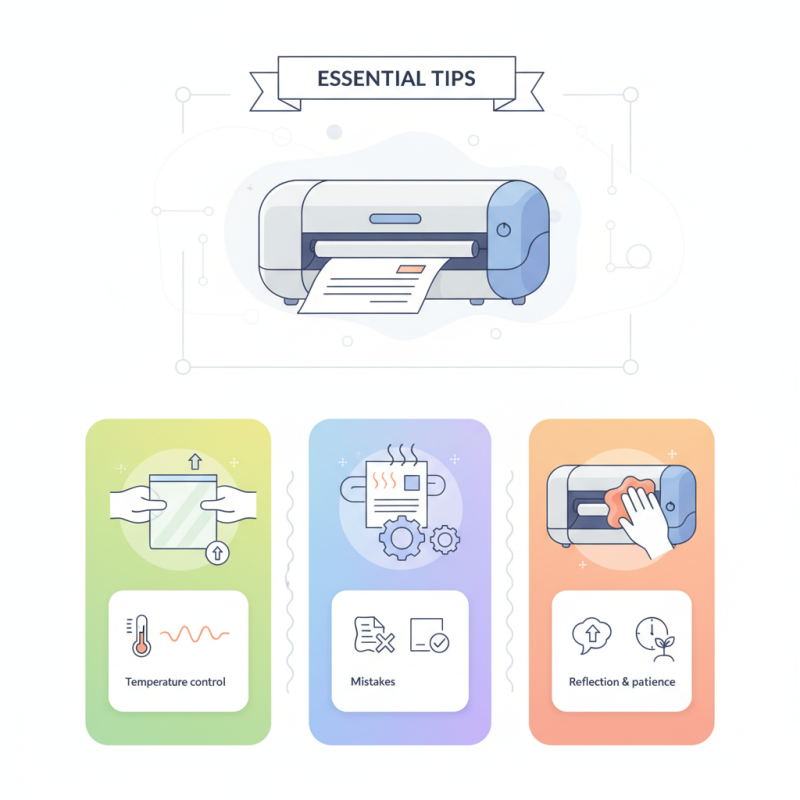
Understanding the lamination process is key. Start by setting the right temperature based on your materials. Overheating can damage your documents. Additionally, make sure the laminating pouches are compatible with your Lamination Machine. If you find wrinkles or bubbles, don’t be discouraged—these are common issues that can be fixed with practice.
Regular maintenance of your Lamination Machine cannot be overlooked. Clean the rollers to prevent residue buildup. Sometimes, even minor issues can affect performance. Reflecting on your techniques after each use can lead to better outcomes in the future. Remember, mastering the machine takes time and patience.
Choosing the Right Lamination Machine for Your Needs
Choosing the right lamination machine is crucial for your projects. Consider what you intend to laminate. Are you working with documents, photos, or cards? Each type of project may require a different machine.
Look for machines that fit your specific needs. For frequent use, a heavy-duty model may be beneficial. If you only laminate occasionally, a simpler, budget-friendly option could suffice. Verify the size of your documents as well. Not all machines handle large formats well.
Here are a few tips for effective use. Always preheat the laminator. This ensures a smooth finish and prevents jams. Feed documents carefully, avoiding bubbling. Experiment with settings; different materials may need adjustments. Lastly, clean the machine regularly for optimal performance. Dust buildup can lead to uneven results. Consider small details. They can significantly impact your final product.
Essential Tips for Using a Lamination Machine Effectively
The chart above illustrates customer satisfaction levels across different types of lamination machines. As shown, professional models tend to receive the highest satisfaction percentage, indicating their effectiveness for various needs.
Preparing Your Documents for Optimal Lamination Results
Preparing your documents properly is key to achieving optimal lamination results. Start by ensuring your documents are clean and free from dust. Dust can cause bubbles or trapped air during the lamination process. According to industry reports, around 30% of lamination failures stem from improper document preparation.
Next, consider the thickness of the materials. Use paper that matches your lamination pouch's size and thickness. Pouches come in various thicknesses, typically measured in mils. Using the correct thickness ensures a smooth finish. A document that is too thick may not laminate well, leading to uneven edges. Additionally, keep in mind that the type of ink on the paper can affect the results. Some inks smudge or bleed during lamination, so consider using laser-printed sheets for better results.
Last but not least, be mindful of the document's edges. Ensure they are straight and even. A jagged edge can lead to sealing issues. A survey found that 25% of users experienced difficulties due to uneven edges. It's crucial to take your time in preparation. Rushing can lead to mistakes that are hard to fix later. Proper preparation can save time and resources in the long run.
Step-by-Step Guide to Operating a Lamination Machine
Operating a lamination machine can seem daunting. With the right approach, it's manageable. Start by gathering your materials. You need the document to laminate, laminating pouches, and the machine itself. Ensure the pouches are the correct size. Industry data shows that improper sizing can lead to 30% more waste. It’s vital to get this step right.
Next, preheat the machine according to the manufacturer’s instructions. This usually takes around 5-10 minutes. Remember, if the machine isn't heated properly, the lamination may not stick. Many users overlook this, leading to frustrating results. After preheating, insert your document carefully into the pouch. Make sure there's an even border around all sides.
Feed the pouch into the machine's opening. Some machines have a light indicating when it's ready. Watch closely; pulling the pouch too early can ruin the entire project. It's common for users to rush. Take your time. Once it's finished, allow the laminated document to cool before handling. Mistakes during this process can happen, so always check the finished product for bubbles or uneven edges.
Essential Tips for Using a Lamination Machine Effectively - Step-by-Step Guide to Operating a Lamination Machine
| Step | Action | Tips |
| 1 | Prepare the materials | Choose the right type and size of laminating pouches. |
| 2 | Preheat the laminating machine | Allow sufficient time for the machine to reach the desired temperature. |
| 3 | Insert documents into pouches | Ensure documents are centered and avoid overfilling. |
| 4 | Feed pouches into the machine | Feed the pouch entry side first for best results. |
| 5 | Monitor the laminating process | Keep an eye to avoid jamming and ensure smooth feeding. |
| 6 | Remove the laminated document | Allow it to cool before cutting or handling. |
Tips for Troubleshooting Common Lamination Issues
When using a lamination machine, issues can occur despite careful preparation. Common problems include bubbles, wrinkles, or uneven sealing. These issues can be frustrating, especially when you want a perfect finish. To troubleshoot bubbles, check your laminating pouches. Make sure they are clean and free from debris. Improper pouch alignment often leads to air pockets.
Wrinkles can happen if the material feeds in unevenly. Adjusting the machine’s settings can help. If you notice that the material jams, turn the machine off immediately. This could prevent more significant damage. After fixing the jam, run a few test sheets to ensure smooth operation. Always remember that frequent maintenance can help minimize these problems.
If the lamination isn’t sealing properly, the temperature may be too low. Check the machine settings and allow it to preheat adequately. It may take longer than expected, but patience is key. It's wise to practice with less critical projects. This way, you can identify any consistent issues without wasting important materials.
Maintaining Your Lamination Machine for Longevity and Efficiency
When it comes to maintaining your lamination machine, attention to detail is key. Regular cleaning is essential. Dust and adhesive residues can build up, affecting performance. Use a soft cloth and specific cleaning solutions. Many users overlook this. Neglecting to clean leads to jams and uneven lamination. Industry studies show that a well-maintained machine can increase efficiency by up to 30%.
Check the heating elements regularly. They wear out over time and can cause inconsistent results. A worn heating element may not reach the correct temperature. This could lead to under-laminated projects. Consider documenting the machine's usage. Not all machines have the same lifespan. A usage log helps track performance and indicates when maintenance is needed.
Keep the blades sharp. Dull blades cause tearing and reduce the quality of your lamination. Replacing blades is often forgotten, yet it’s vital. The cost of neglecting blade maintenance can lead to increased wastage. Aim for regular checks every few weeks. Sometimes, you may not realize issues until they escalate. Proper assessment can prevent minor problems from becoming major headaches.