How to Start 3D Printing at Home for Beginners?
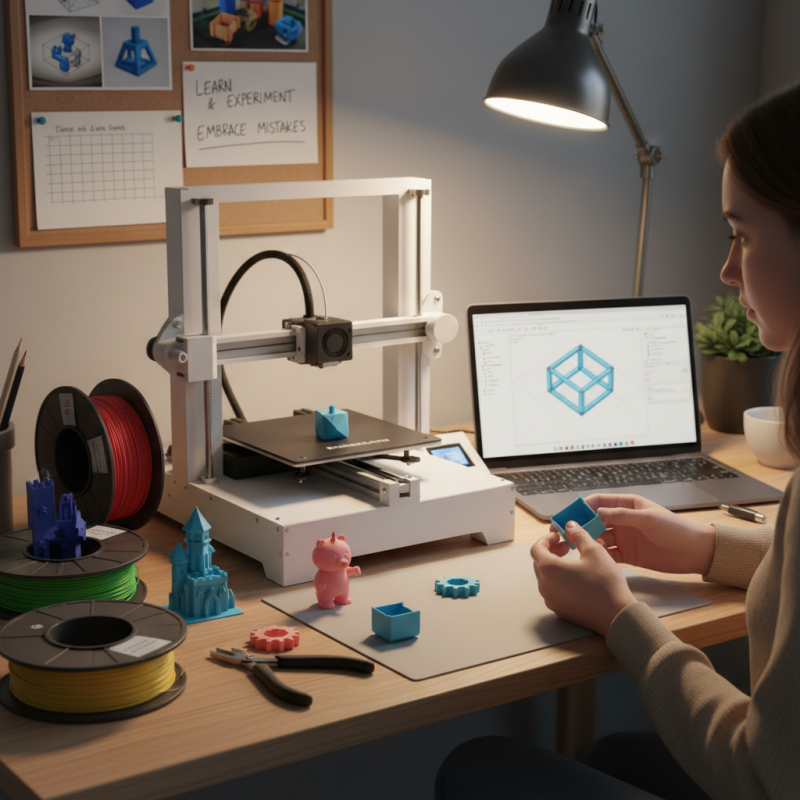
3D printing has emerged as an exciting technology for hobbyists and creators alike. It allows you to bring digital designs to life in a tangible form. Getting started with 3D printing at home might seem overwhelming, but it doesn't have to be.
Begin by familiarizing yourself with the basics. Look for user-friendly 3D printers that suit your needs. Research different materials available for printing, such as PLA and ABS. Each has its pros and cons, so choose wisely based on your projects.
Don't forget to explore online communities and tutorials. Connecting with other enthusiasts can provide valuable insights. Remember, your initial prints may not be perfect. Expect to encounter challenges and learn from your mistakes. Embracing this journey is key to mastering 3D printing at home.
Understanding 3D Printing Technologies for Beginners
3D printing has become an exciting hobby for many home enthusiasts. For beginners, understanding the various technologies is essential. Two prominent methods are Fused Deposition Modeling (FDM) and Stereolithography (SLA). FDM works by melting plastic filament and layering it into shapes. SLA uses light to cure resin into solid layers. Each method has its strengths and weaknesses.
FDM is user-friendly and cost-effective, making it a top choice for newcomers. Reports indicate that FDM printers account for over 70% of the market share. However, FDM may struggle with intricate designs. On the other hand, SLA offers higher precision and finer details. The trade-off? It requires more maintenance and can be costly. Beginners may find this intimidating.
Awareness of material options is also crucial. PLA and ABS are common filaments, each with unique properties. PLA is bio-based, easy to print, and often preferred for its low warping issue. ABS, while more durable, can warp if temperature is not controlled. Newcomers should experiment with both to see which material suits their needs. Learning 3D printing isn't just about machines or materials. It's a journey of discovery, with plenty of room for trial and error.
3D Printing Technologies Popularity Among Beginners
This chart illustrates the popularity of various 3D printing technologies among beginners. FDM technology is the most commonly used, followed by SLA, SLS, and DLP technologies.
Choosing the Right 3D Printer: Types and Features Explained
When choosing a 3D printer, it's vital to consider types and features. FDM printers are popular for beginners. They melt plastic filament and layer it to create objects. SLA printers use resin and are great for detailed prints. They can be trickier, but the results can be stunning.
When selecting features, look for build volume. This indicates how large your models can be. Smaller printers are affordable but limit creativity. Heated beds help with adhesion, which prevents warping. Wi-Fi connectivity allows easy printing from your devices.
**Tips:** Start with an open-source software. It's often free and user-friendly. Calibration is essential, so be patient while learning. Experiment with different settings to achieve better results. Some trial and error is normal. Expect imperfect prints at the beginning. Learning curves can be frustrating but rewarding.
Essential Materials for Home 3D Printing: Plastics and More
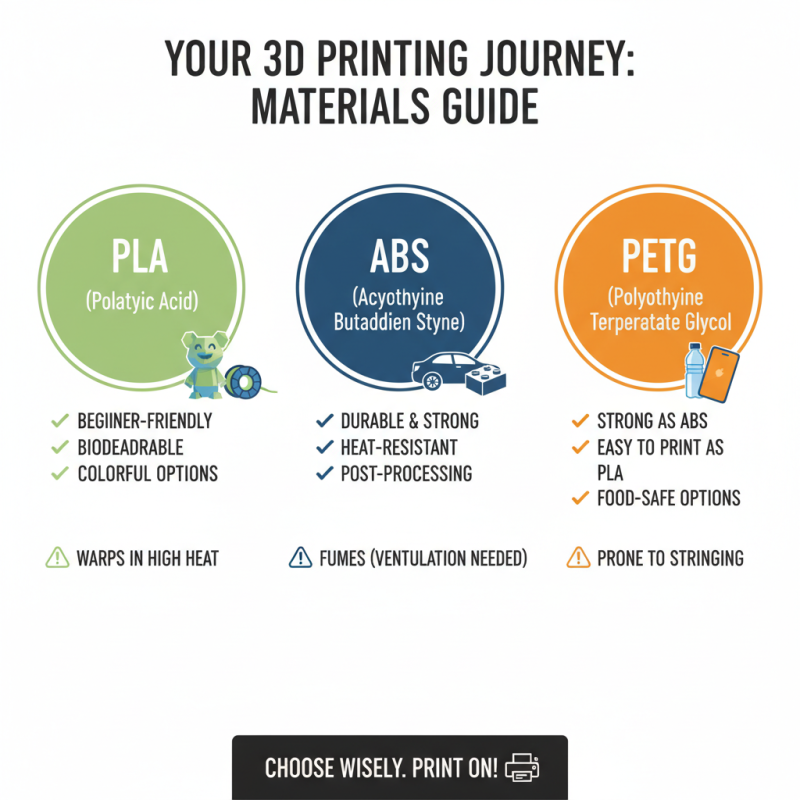
Starting your 3D printing journey at home can be exciting. It’s essential to choose the right materials. Different plastics serve unique purposes. PLA, for instance, is a popular choice for beginners. It’s biodegradable and easy to use. Plus, it comes in vibrant colors. However, it can warp in high temperatures.
ABS is another common material. It’s sturdy and ideal for functional parts. But it emits fumes during printing. Proper ventilation is crucial when using it. Consider TPU if you want flexibility. It’s great for making phone cases or toys. Keep in mind that each material has its challenges.
Make sure your 3D printer settings match the material you choose. Layer thickness and temperature can affect the final print. Experimentation is key. Sometimes, prints fail. Adjustments may be needed along the way. Don't get discouraged by mistakes; they are part of the learning process. Each setback teaches something valuable.
Basic Software Tools for Designing and Slicing Your 3D Models
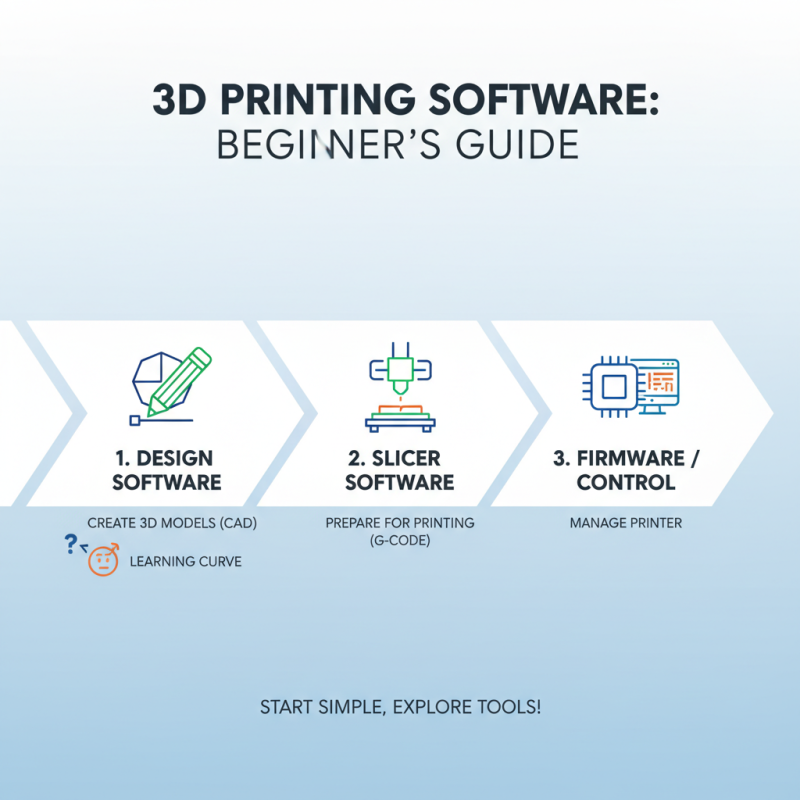
3D printing can be fascinating, but starting can feel overwhelming. One crucial step is choosing the right software tools. You'll need design software to create your 3D models. Programs like this allow you to sketch ideas, but it's not always intuitive. Many beginners find themselves frustrated. The learning curve can be steep.
Slicing software is equally important. It converts models into a format that printers can read. This process can be confusing at first. Sometimes, settings might seem overwhelming. Play around with different parameters to see how they affect the print. Don't be afraid to make mistakes along the way. Each trial will teach you something new.
Tips: Always keep software updated. Sometimes updates include helpful features. Start with simple designs. This helps boost your confidence. Explore online tutorials. They can provide practical insights and shortcuts. Remember, practice is key in mastering these tools. Embrace the process, even the hiccups. Each error is a stepping stone to improvement.
Common Challenges in Home 3D Printing and How to Overcome Them
Starting with 3D printing at home can be exciting yet challenging. Many beginners encounter issues like printer calibration and filament choice. According to recent industry data, 45% of new users face difficulties in achieving precise prints. Calibration often takes longer than expected. This can lead to frustration, especially when the first prints fail. Small adjustments are crucial, but they can feel overwhelming.
Filament choice also plays a significant role in print quality. Popular materials like PLA and ABS each have unique properties. Beginners might default to one type without exploring others. A survey showed that 30% of users experience print failures due to incorrect filament settings. Learning the nuances of temperature and speed for each material can improve results significantly. Yet, many users skip this essential step, leading to wasted time and resources.
Troubleshooting unresponsive printers can be daunting. Software issues and hardware limitations often complicate the printing process. In fact, nearly 40% of beginners report technical difficulties that require external help. This can deter individuals from pursuing 3D printing further. Embracing these challenges is part of the learning curve. Each failure is a step toward improvement and success.
How to Start 3D Printing at Home for Beginners? - Common Challenges in Home 3D Printing and How to Overcome Them
| Challenge |
Description |
Solution |
| Filament Issues |
Problems like clogging, brittleness, or moisture absorption can affect print quality. |
Ensure filament is stored properly and use an appropriate brand for your printer. |
| Calibration |
Improper calibration can lead to misaligned layers and poor print quality. |
Regularly calibrate your printer’s bed and nozzle height. |
| Print Settings |
Inappropriate settings can lead to failed prints or poor surface finish. |
Experiment with different print speeds, temperatures, and layer heights for optimal results. |
| Bed Adhesion |
Models can warp or detach from the print bed during printing. |
Use adhesives like glue sticks or specific bed surfaces to improve adhesion. |
| Overhangs and Support |
Printing with overhangs can be challenging without proper support structures. |
Design models with built-in supports or adjust the printing angle. |