
Top Hotel Digital Signage Solutions for Buyers
Choosing the right hotel display system takes more than comparing screen sizes and prices. Hotels Digital Signage can guide guests from the lobby to meeting rooms, share breakfast hours, and promote on-site services. But a bright screen is not automatically useful. The message must be readable, current, and placed where guests naturally pause.
This buyer’s guide examines practical features, including screen resolution, brightness, mounting options, content scheduling, remote management, and integration with existing hotel systems. A lobby exposed to daylight may need a brighter display than a quiet corridor. A touchscreen can help visitors find a conference room, while a simple screen may work better for changing event schedules. Small details matter.
Buyers should also assess setup and ongoing support. Ask who updates content, how staff receive training, and what happens if a display loses its network connection. Check warranty terms and confirm that the software suits your team’s skills. Not always. The most feature-rich platform may create extra work if daily updates feel complicated. No signage system can replace clear service or accurate information, either. The strongest choice is usually the one that fits the property’s guest journey, budget, and staffing reality. Use the sections ahead to compare solutions with those needs in mind, and to identify trade-offs before committing.
What Hotel Digital Signage Solutions Are and How They Work
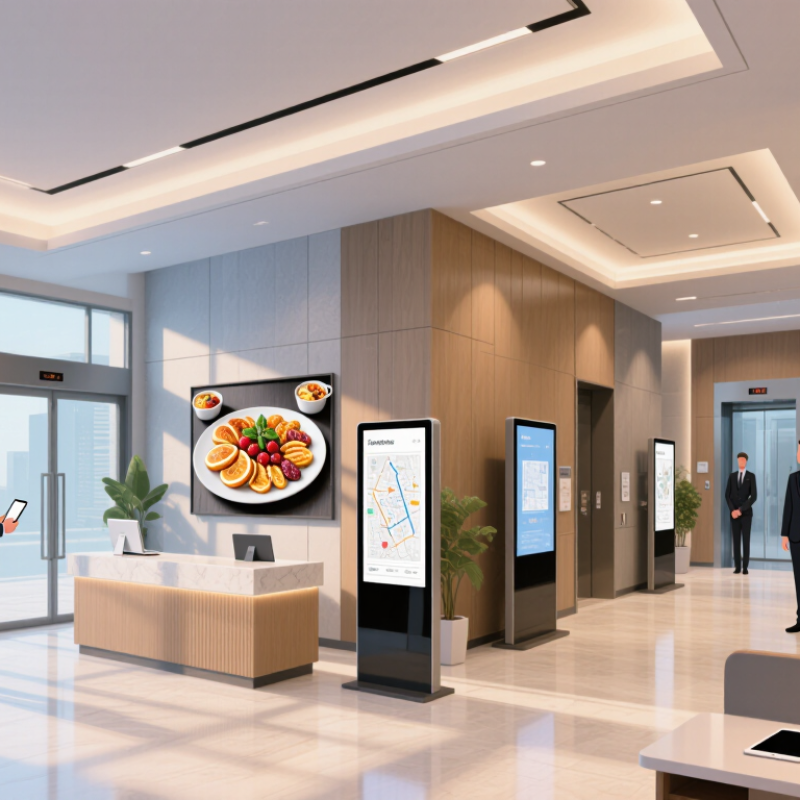
Hotel digital signage solutions connect screens with a content management system and a network. Staff use the system to prepare and schedule content from a computer or tablet. A screen near reception might show check-in guidance, while one by the lifts displays meeting-room directions. Placement matters.
The CMS sends approved content to selected screens, often grouped by location or purpose. Teams can set display times, replace outdated notices, and check whether a screen is online. Some systems can store scheduled content locally if the connection drops, but this depends on the equipment. Verify that capability before choosing a setup. Small details count.
Good signage is not just a bright display. Text should be readable from the viewing distance, and important information should not compete with decorative images. A clear arrival instruction may help more than a crowded slide of hotel amenities. Keep it simple. Staff also need practical training and clear publishing permissions, so an urgent update does not wait for one busy administrator. Even a neat content schedule can miss how guests actually move through a lobby; reviewing screen placement during busy periods can reveal what needs adjustment.
Where Hotels Use Digital Signage Across the Guest Journey
At arrival, digital signage can reduce uncertainty before a guest reaches the desk. A lobby display can show check-in directions, breakfast hours, and the meeting-room floor, while a discreet queue screen sets clear expectations. Keep text readable from several steps away. Small cues matter.
In elevators and corridors, screens can guide guests to their rooms, fitness areas, or accessible routes. At restaurants, they can display opening times and daily menus; near event spaces, they can identify sessions and room changes. Skift Research’s 2022 Hospitality in 2025 study found that 73% of surveyed travelers wanted to use mobile devices to manage their hotel experience. Signage can complement those tools with timely, visible information, rather than forcing guests to search an app. Not every screen helps.
During a stay, update messages when services change, and assign a staff member to check accuracy. A wrong breakfast time is more damaging than an empty screen. At checkout, displays can point guests toward transport, luggage storage, or billing assistance. Hotels should also consider guests with low vision, limited language fluency, or little patience for scrolling text. Screens can become clutter, too; measure whether guests find information faster, and remove content that does not help.
Core Features and Components of Hotel Signage Systems
A hotel signage system is more than a bright screen in the lobby. Its core components include commercial displays, media players, a content management system, network connections, and links to hotel information systems. The display sets visibility; the CMS controls what appears, where, and when. A media player renders the content, while reliable network access lets staff update schedules without visiting every screen. Keep it simple. A front-desk screen might show breakfast hours, while a lift display shares meeting-room directions.
Content needs operational safeguards. Set permissions by staff role, schedule updates by location, and keep an offline fallback for network outages. Check viewing distance, glare, font size, and screen placement; a beautiful panel can still be unreadable beside a sunny window. Oracle Hospitality and Skift’s 2022 report, Hospitality in 2025, found that 73% of travelers were more likely to choose a hotel offering self-service technology. That finding supports useful, timely guest information, but it does not prove signage alone drives bookings. Grand View Research estimated the global digital signage market at USD 27.8 billion in 2023, reflecting broad adoption across sectors, not hotel-specific performance. A weak point remains: integrations can become difficult to maintain. Buyers should ask who owns updates, how failures are monitored, and whether the system can grow without replacing every screen.
How to Compare Hotel Digital Signage Solutions
When comparing hotel digital signage solutions, look beyond screen price. Check whether staff can update lobby, restaurant, and meeting-room displays from one dashboard. Ask about role permissions, scheduled content, offline playback, and support response times. Then test the system on the actual screens and network. Small details matter: a room change should not require a technician or a USB drive.
The American Hotel & Lodging Association’s 2024 State of the Industry report found that 76% of surveyed hotels reported staffing shortages. That makes simple content workflows worth examining, though signage software cannot solve staffing by itself.
Compare installation needs, accessibility options, content creation effort, and the full cost of hardware, licensing, and support. Request a pilot in one busy area; a polished demonstration may not reveal weak Wi-Fi or slow updates. A scorecard helps, but it can still miss daily friction.
Tips Ask staff to change a meeting-room schedule during the pilot. Time the task, test an outage, and confirm who handles support. Keep the test realistic.
Planning Deployment, Integration, and Ongoing Management
Before choosing displays, map where guests pause, what they need there, and who will update each screen. A lobby wall may need clear arrival information, while a lift-area display can share breakfast hours or meeting-room directions. Check viewing distance, glare from windows, mounting access, and nearby power before ordering equipment. Small details matter.
Plan deployment around hotel operations, not just installation day. Test the network connection, content layout, and scheduling permissions in one area before expanding across the property. Confirm how screens behave during a connection outage, and keep a simple fallback message ready. Integration with room systems or event schedules can reduce repeated updates, but only if the data stays accurate. In practice, teams sometimes discover that nobody owns a particular screen. Assign a named role for approvals and edits.
Ongoing management needs a realistic routine. Review hours, event listings, and seasonal messages on a set schedule, then remove outdated content promptly. Keep an inventory of screen locations, access details, and maintenance dates. Ask front-desk staff which questions guests still ask; their observations can reveal confusing layouts. Not every display will perform perfectly at first. Use a small pilot, note what feels awkward, and adjust before making the setup property-wide.