
Why Choose an Industrial Touch Display?
An Industrial Touch Display is more than a screen mounted beside a machine. It is the point where operators check temperatures, adjust settings, and respond to alarms, often with gloves on and noise around them. In those conditions, a consumer display can become a weak link. Glare, dust, vibration, and repeated cleaning all matter. So does a simple question: can someone read the screen quickly during a busy shift?
The business case is tied to a wider manufacturing shift. Deloitte and MAPI’s 2019 Smart Factory Study reported that 86% of surveyed manufacturing executives expected smart factory initiatives to be a primary driver of competitiveness within five years. That finding is useful context, not proof that every plant needs a touchscreen upgrade. A display only helps when it fits the task, environment, and control system. Small buttons, slow response, or poor viewing angles can frustrate operators instead of helping them. It happens.
Choosing well means looking beyond screen size. Buyers should compare touch technology, brightness, operating-temperature range, ingress protection, mounting options, and interface compatibility. A bright production floor may require a different panel from a washdown area or a control room. Serviceability matters, too: a failed display should not leave an otherwise functional machine difficult to operate. This guide explains what industrial touch displays offer, where they make sense, and which specifications deserve careful review. Some choices are less obvious than they look.
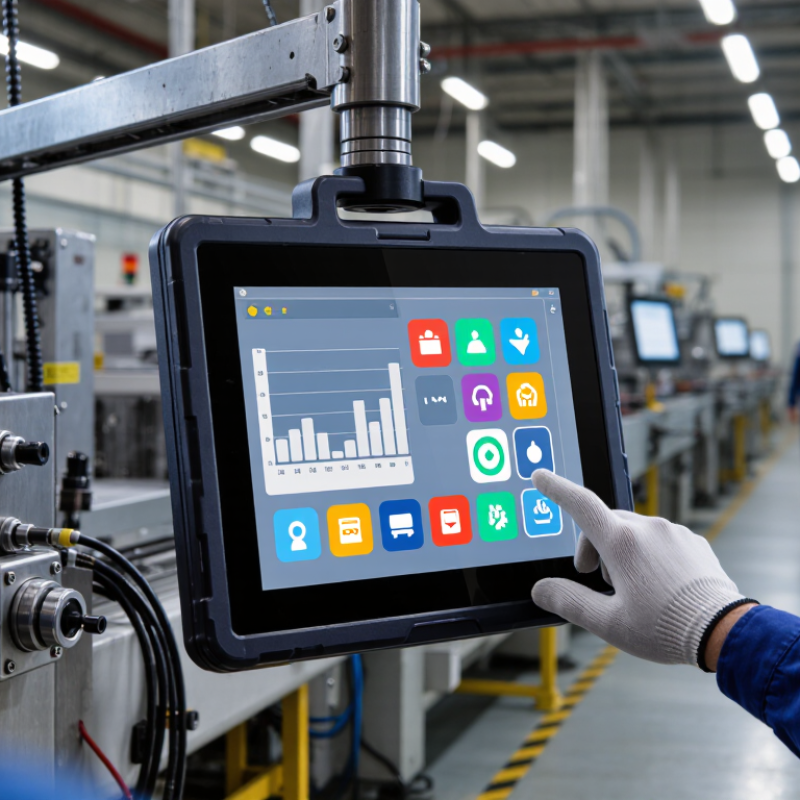
Industrial Touch Displays: Definition, Components, and Industrial Use
Why Choose an Industrial Touch Display?
Industrial Touch Displays: Definition, Components, and Industrial Use
An industrial touch display combines a screen, touch sensor, protective cover, and control electronics in one interface. It lets operators view machine data and enter commands directly. Common touch technologies include projected capacitive and resistive sensing. The right choice depends on the task: some sensors work better with gloves, while others offer clearer multi-touch operation. Brightness, viewing angle, and surface hardness also matter.
These displays appear on factory equipment, packaging lines, vehicle dashboards, and outdoor control panels. A production operator might tap a large button to pause a conveyor, then check temperature readings beside it. Sealed bezels and suitable ingress protection can help resist dust or splashes, but ratings must match actual cleaning and exposure conditions. Heat, vibration, and sunlight can also affect reliability. Specifications alone are not enough; installation and maintenance matter too.
Tips: Match touch technology to gloves and workflow. Check operating temperature, brightness, and ingress rating before purchase. Leave room for protective covers and cleaning. Small details matter. A display that works well in a clean lab may disappoint beside a dusty, vibrating machine.
Touch Technologies Compared: Projected-Capacitive and Resistive
Why Choose an Industrial Touch Display?
Touch Technologies Compared: Projected-Capacitive and Resistive
Projected-capacitive displays detect changes in an electrical field, allowing quick, precise touches and multi-touch gestures. Their glass fronts are easy to wipe and generally resist surface scratches. But gloves, moisture, and electrical noise can affect performance unless the display is designed for those conditions. A wet sleeve near the panel can cause unwanted input.
Resistive displays respond to pressure between layered surfaces. Operators can use a gloved finger, stylus, or other firm pointer, which helps in work areas where bare hands are impractical. They often handle moisture better, but the flexible top layer may wear over time. Touch response is usually less fluid, and image clarity can be lower. It depends.
Tips: Test with the actual gloves, stylus, and cleaning routine. Try the screen under bright lights, too. Small differences matter.
Choose based on the task, not the newest technology. For a control panel with frequent gestures and a clean, dry workspace, projected-capacitive may feel more natural. For equipment operated with gloves or a pointed tool, resistive may be the safer fit. Check the specified operating temperature, ingress protection, and touch life. These figures do not replace a hands-on trial; installation angle and screen glare can still surprise you. One trade-off is easy to miss.
Ingress Protection: What IP65 Means Under IEC 60529
An industrial touch display may face dust, washdown spray, and frequent cleaning. IP65 describes tested protection under IEC 60529; it is not a general durability score. The first digit, 6, indicates a dust-tight enclosure under the standard’s test. The second digit, 5, indicates protection against water jets from any direction. A useful detail: the IPX5 test specifies a 6.3 mm nozzle and a water flow of about 12.5 litres per minute. The exposure lasts at least three minutes, depending on the test arrangement. Not immersion.
For a factory operator wiping a display beside a wet production line, that distinction matters. IP65 can suit splash-prone settings, but it does not certify protection against submersion, steam, chemicals, or every cleaning method. The rating also applies to the tested configuration, including its seals and cable entries. A small installation gap can undermine the enclosure’s protection. Check the IEC 60529 test documentation for the complete display assembly, and confirm that touch input remains usable with wet fingers or gloves. That detail is easy to overlook.
Environmental and EMC Testing: IEC 60068 and IEC 61000
An industrial touch display may face cold starts, warm enclosures, vibration, and electrical noise during ordinary operation. IEC 60068 provides test methods for environmental stresses such as temperature changes, damp heat, vibration, and mechanical shock. The right tests depend on where the display will be installed and how it is mounted. A panel on a moving production line needs different attention from one inside a climate-controlled cabinet.
IEC 61000 addresses electromagnetic compatibility. Testing may examine emissions and immunity to disturbances such as electrostatic discharge or conducted interference. During evaluation, engineers should monitor more than whether the screen stays powered. Does touch input remain accurate? Does the image flicker when nearby equipment switches on? Small details matter. A display that passes in one configuration may behave differently with another cable, grounding arrangement, or mounting frame.
Test conditions should reflect the product’s intended use, and reports should identify the procedures and configurations assessed. Passing selected tests does not guarantee reliable performance in every facility. Dust tells stories, but it is not a substitute for a controlled test. Field observations can reveal gaps worth investigating, especially when operators report intermittent touch errors that are hard to reproduce in a laboratory.
| Test Area | Standard / Test | What the Test Evaluates | Relevance to an Industrial Touch Display | How to Interpret the Result |
|---|---|---|---|---|
| Environmental | IEC 60068-2-1 — Cold | Performance of a specimen under low-temperature conditions defined for the test. | Helps assess operation or storage in cold locations, such as unheated facilities or outdoor enclosures. | Temperature, duration, operating state, and acceptance criteria must be specified for the product and application. |
| Environmental | IEC 60068-2-2 — Dry heat | Performance of a specimen under elevated-temperature conditions defined for the test. | Can help assess display, touch sensor, and enclosure behavior in hot environments or during storage. | The test temperature and duration are selected for the intended use; the method alone does not define a universal product rating. |
| Environmental | IEC 60068-2-6 — Sinusoidal vibration | Resistance to specified sinusoidal vibration frequencies, amplitudes or accelerations, and durations. | Relevant to equipment mounted on machinery, vehicles, or other vibration-prone installations. | Test severity and mounting arrangement should reflect the installation and applicable product specification. |
| Environmental | IEC 60068-2-27 — Shock | Resistance to specified mechanical shock pulses; the test severity and pulse shape are selected for the test plan. | Helps assess exposure to impacts or sudden mechanical acceleration during use, transport, or handling. | A test result applies to the stated pulse, direction, number of shocks, and mounting configuration. |
| Environmental | IEC 60068-2-30 — Damp heat, cyclic | Effects of cyclic temperature and humidity conditions; condensation may occur during the test. | Relevant where equipment experiences changing temperature and high humidity, which can stress materials and seals. | Cycle details and acceptance criteria are set by the applicable test specification. |
| Environmental | IEC 60068-2-78 — Damp heat, steady state | Effects of high humidity at a controlled, steady temperature under the selected test conditions. | Can help assess moisture-related risks to display assemblies, connectors, and other components. | The selected temperature, relative humidity, duration, and functional checks should be documented. |
| EMC immunity | IEC 61000-4-2 — Electrostatic discharge (ESD) | Immunity to electrostatic discharges applied using specified contact or air-discharge test levels. | Relevant to discharges from operators, nearby objects, or accessible parts around a touch interface. | The standard includes test levels; the level, discharge points, and performance criteria used should be stated in the test report. |
| EMC immunity | IEC 61000-4-3 — Radiated RF electromagnetic field | Immunity to radiated radio-frequency electromagnetic fields at specified frequencies and field strengths. | Helps assess whether nearby radio transmitters or wireless equipment may disturb display or touch operation. | Frequency range, field strength, modulation, and performance criteria depend on the applicable test plan. |
| EMC immunity | IEC 61000-4-4 — Electrical fast transient / burst | Immunity to repetitive fast transients coupled to power, signal, control, or earth ports as applicable. | Relevant to disturbances associated with switching operations and inductive loads in industrial installations. | Test level, coupling method, port, and acceptance criteria should be recorded for each test. |
| EMC immunity | IEC 61000-4-5 — Surge | Immunity to specified surge voltages and currents, commonly using a combination-wave generator. | Helps evaluate exposure of connected ports to transient overvoltages, including those associated with switching or lightning effects. | Applicable ports, coupling, test level, and any required protective devices depend on the product and installation. |
| EMC immunity | IEC 61000-4-6 — Conducted RF disturbances | Immunity to conducted radio-frequency disturbances coupled onto cables within the standard’s applicable frequency range. | Relevant when power or signal cables may pick up RF energy in electrically noisy environments. | The selected frequency range, level, coupling method, and performance criteria should be documented. |
| EMC immunity | IEC 61000-4-8 — Power-frequency magnetic field | Immunity to magnetic fields at power frequency under specified test conditions. | May be relevant when a display is installed near transformers, motors, or other sources of power-frequency magnetic fields. | Test level, orientation, duration, and operating conditions are defined by the selected test plan. |
| EMC requirements | IEC 61000-6-2 — Generic immunity standard for industrial environments | Sets immunity requirements for equipment intended for industrial environments when no relevant product or product-family immunity standard applies. | Provides a framework for assessing immunity to electromagnetic disturbances in industrial settings. | Check whether a product-specific standard applies and identify the edition and test methods used. |
| EMC requirements | IEC 61000-6-4 — Generic emission standard for industrial environments | Sets emission requirements for equipment intended for industrial environments when no relevant product or product-family emission standard applies. | Helps assess whether emissions from the display may cause unacceptable interference with other equipment. | Applicable limits and measurement methods depend on the standard edition, equipment classification, and test configuration. |
| System verification | Functional monitoring during and after testing | Checks defined functions before, during, and after exposure, such as image stability, touch response, and recovery. | Connects laboratory test results to the display’s intended operation in the final system. | Acceptance criteria should be defined in advance; passing a test does not by itself establish suitability for every installation. |
Choosing a Display: Brightness, Interfaces, Touch Modes, and Ratings
Why Choose an Industrial Touch Display?
Choosing a Display: Brightness, Interfaces, Touch Modes, and Ratings
Brightness should match the actual work area, not just the product sheet. For a sunlit loading bay, a dim screen can hide alarms beneath reflections. VESA’s DisplayHDR specification uses peak-luminance tiers such as 400, 600, and 1,000 cd/m². These are useful reference points, not guarantees of readability in direct sunlight. Check sustained brightness, antiglare treatment, and viewing angle together. A bright panel can still disappoint.
Interfaces decide whether installation stays simple. Confirm the host computer’s video output, touch-data connection, and power requirements before ordering. HDMI or DisplayPort may carry video, while USB commonly carries touch input. Touch mode matters, too. Projected capacitive supports gestures and a smooth glass surface; glove performance depends on the controller and settings. Resistive touch can work with a gloved finger or stylus, but its surface may feel less responsive. Gloves change everything.
Ratings describe specific test conditions. IEC 60529 defines IP protection against dust and water ingress; an IP rating does not certify impact resistance. IEC 62262 assigns IK impact classes: IK08 corresponds to a 5-joule impact, while IK10 corresponds to 20 joules. Match the rating to cleaning, vibration, and accidental knocks at the site. A detail often missed: cables and mounting points can remain vulnerable even when the display face is well protected. I would verify the whole assembly, not only the front panel.