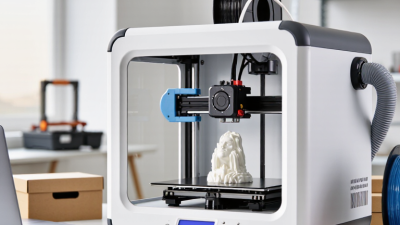
How to Choose a Professional 3D Printer?
Choosing a Professional 3D Printer is a production decision, not a spec-sheet contest. The right machine must fit the parts, materials, tolerances, and output your operation actually needs. A large build volume may look impressive, yet remain unused while a small, reliable printer handles daily work.
The Wohlers Report 2024 estimated that the global additive manufacturing industry reached $20.0 billion in 2023, growing 11.1% from the previous year. That growth signals expanding use, but it does not make every printer suitable for every factory. Avi Reichental, former president and CEO of 3D Systems, captured the technology’s promise: “If you can imagine it, you can make it.” Promise, though, is not proof of production readiness.
Start with the application. Compare usable build area, material compatibility, dimensional accuracy, repeatability, throughput, and service support. Ask for sample parts made with your intended material, then inspect their surfaces, edges, and fit. Check maintenance needs and total operating costs, not just the purchase price. For metal systems, examine powder handling and process monitoring; for polymer systems, assess chamber control and material storage. Details matter.
A shortlist can still miss the mark. Vendor demonstrations may not reflect your geometry or production schedule. Request a trial, define acceptance criteria, and involve the people who will operate the equipment. The sections ahead explain how to weigh these factors and choose a Professional 3D Printer with evidence, not hype.
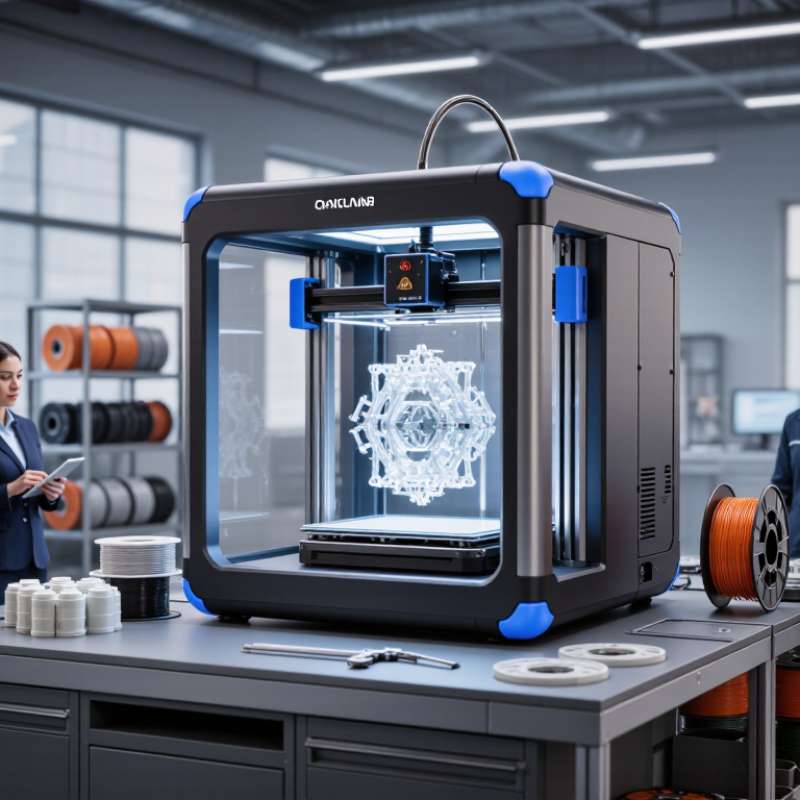
Define Your Professional 3D Printing Requirements
Define the job before comparing machines. List the parts you need, their dimensions, materials, tolerances, and expected monthly volume. Start with the part. A printer’s advertised build volume is not the same as usable space; leave room for supports and safe removal. If a fixture must fit within a 200-millimeter envelope, test that geometry on the actual machine. Record surface finish and dimensional variation, not just whether the print succeeds.
Then define what “professional” means for your workflow. Track finished parts per shift, operator time, failed builds, and post-processing hours. Wohlers Report 2024 estimated global additive manufacturing revenues at $20.0 billion in 2023, an 11.1% year-over-year increase. That growth signals a maturing sector, not a guarantee that any printer will suit your application. Compare material requirements, repeatability, software controls, maintenance access, and staff training against your real production demands. Ask for a sample build using your own design and inspect it with the same tools you use on finished parts. One overlooked detail: a fast print can still slow production if support removal takes an hour. Record that, too.
Match Printing Technologies to Your Applications
A professional 3D printer is not defined by resolution alone. Start with the part’s job: fit, load, heat, surface finish, or production volume. For workshop fixtures, ducts, and housings, fused filament fabrication can offer practical toughness and manageable material costs. It is often a sensible choice when parts are large or revised frequently. Details matter. However, layer lines and support removal may affect appearance and small features.
For smooth, finely detailed prototypes, vat photopolymerization can capture tiny text and curved surfaces. It can suit product mock-ups and jewelry patterns, though resin parts may be brittle. Uncured resin handling and post-curing also require disciplined procedures. Selective laser sintering suits interlocking shapes and small batches because powder supports complex geometries during printing. But powder management, ventilation, and surface texture deserve attention. Not effortless.
Metal powder-bed systems can produce durable, complex components, but they need careful parameter control and substantial post-processing. They make sense when strength, geometry, or weight savings justify higher operating demands. Before choosing, print a representative part, not a perfect demo coupon. Measure holes, inspect thin walls, and record warped corners or failed supports. A small test may expose assumptions. Compare the whole workflow: materials, labor, finishing, maintenance, and operator skill all affect whether a technology fits your application.
Compare Build Volume, Materials, and Print Performance
How to Choose a Professional 3D Printer?
Compare Build Volume, Materials, and Print Performance
Start with the largest part you actually plan to make. Check the usable build dimensions, not just the printer’s outer size. A 250 mm cube may fit a single housing, but not a long enclosure without splitting it. Wohlers Report 2024 valued the global additive manufacturing industry at $20.035 billion in 2023, an 11.1% year-over-year increase. That growth signals wider adoption, but it does not mean every machine suits every production need. Bigger is not always better.
Match material support to the part’s working conditions. A fixture near a warm motor may need a heat-resistant polymer, while a display model may prioritize surface finish. Confirm nozzle temperature, heated-bed range, enclosure, and material-drying needs before comparing material lists. Then test print performance with a representative part. Record print time, dimensional deviation, surface quality, and failure rate across repeated runs. A fast sample is not proof of reliable output. Even a small dimensional drift can make a snap-fit joint frustrating.
Tips: Ask for a sample made from your intended material, with your own part geometry. Check its fit with calipers and inspect thin walls, holes, and overhangs. Keep a little skepticism: vendor speed figures may use different settings, so compare like with like.
How to Choose a Professional 3D Printer?
Compare build volume, materials, and print performance across common professional 3D printing processes.
The chart shows typical layer-thickness ranges; exact capabilities depend on the printer, material, and settings. Thinner layers can improve detail but may increase print time.
Build volume
Compare the usable X, Y, and Z dimensions with your largest intended parts. FFF and powder-bed systems can be available in large-format configurations, while many resin systems prioritize fine detail over part size.
Material options
FFF commonly supports thermoplastics such as PLA, ABS, PETG, and nylon. SLA uses photopolymer resins, while SLS commonly processes polymer powders such as nylon. Confirm that the material properties meet your application requirements.
Print performance
FFF is versatile for functional parts; SLA is suited to fine features and smooth surfaces; SLS produces durable, complex parts without dedicated support structures. Compare total production time, post-processing, and repeatability—not layer height alone.
Evaluate Software, Workflow, and Equipment Reliability
A professional 3D printer is only as useful as the system around it. Evaluate the software with a representative part, not a polished demo file. Import a CAD model, repair a small mesh defect, and see whether the slicer identifies unsupported areas clearly. Preview layer paths and material estimates before printing. Can operators save repeatable profiles, track revisions, and share settings without confusing filenames? Small details matter. If a routine edit requires several menus, staff may skip it when schedules get tight.
Trace the workflow from file preparation to finished part. Ask a new operator to follow the documented steps, then note where they hesitate or need help. Check whether the machine records errors and makes routine maintenance easy to schedule. Review calibration results and print the same part across multiple shifts; compare dimensions and surface finish, not just successful completion. A printer that needs frequent adjustment can still produce excellent samples. That distinction matters. I still find it easy to overlook: a tidy demonstration says little about a full week of production. Request maintenance records, test recovery after a failed job, and confirm that support procedures are clear before committing.
How to Choose a Professional 3D Printer? — Evaluate Software, Workflow, and Equipment Reliability
| Evaluation Area | What to Assess | How to Verify It | Professional Selection Consideration |
|---|---|---|---|
| Software compatibility | Supported operating systems, file imports, and export options. Common model formats include STL and 3MF; STEP support depends on the software. | Import representative files from your design process and check scale, orientation, units, and geometry before slicing. | Confirm that the complete design-to-print workflow works with your existing tools, rather than relying on a file-format label alone. |
| Slicing controls | Availability of settings for layer height, infill, supports, build orientation, and material profiles. | Prepare the same sample part using standard and adjusted settings; review the preview, estimated material use, and print time. | Look for understandable controls and repeatable profiles. Confirm that advanced settings can be managed without compromising basic usability. |
| Workflow management | Job preparation, printer assignment, queue visibility, user access, and status reporting. | Walk through a job from file preparation to completion, including what happens when a print is paused, cancelled, or reassigned. | For shared equipment, clear job status and consistent procedures help reduce scheduling confusion and operator errors. |
| Build volume and throughput | Usable build dimensions, typical job duration, and the number of parts that fit in a build. | Compare the machine’s usable build area with representative parts, including space needed for supports and safe placement. | Choose capacity for actual part requirements. A larger build volume does not by itself guarantee faster production or better results. |
| Material compatibility | Supported material types, required operating conditions, and any restrictions on third-party materials. | Print a representative part using the intended material and review the recommended storage, handling, and processing instructions. | Match material capability to functional requirements such as heat exposure, flexibility, strength, or surface finish; confirm compatibility with the full system. |
| Dimensional consistency | Repeatability of dimensions and fit across multiple prints, not just the nominal layer-height setting. | Print a dimensioned test part more than once and measure critical features with suitable calibrated tools. | Set acceptance tolerances based on the application and verify them with test parts; results can vary with material, orientation, and process settings. |
| Monitoring and recovery | Print-status visibility, alerts, pause or resume behavior, and recovery options after common interruptions. | Review the documented features and, where practical, test a controlled interruption using a non-critical job. | Understand which failures the system can detect and what operator action is required. Monitoring features should not be treated as a guarantee of print success. |
| Maintenance and service | Routine maintenance tasks, replacement-part availability, service documentation, and support response arrangements. | Request the maintenance schedule, expected consumables, troubleshooting guidance, and written service terms. | Compare the total ownership requirements, including labor and downtime. Published reliability figures may not be directly comparable across systems. |
| Safety and environment | Required ventilation, enclosure, temperature control, and precautions for the intended materials and work area. | Review the equipment documentation and material safety information; assess the installation space and applicable workplace requirements. | Plan for safe operation and material handling before installation. Requirements depend on the process, material, and local regulations. |
| Total workflow fit | Operator training, post-processing steps, inspection needs, and integration with downstream production tasks. | Run a representative job from design handoff through finished-part inspection and record the steps, labor, and handoffs involved. | Select equipment that fits the complete production process, not just the printing stage. Account for post-processing and quality checks in capacity planning. |
Assess Total Ownership Costs and Manufacturer Support
A professional 3D printer should be judged by its working cost, not its invoice alone. Include the printer, required software, installation, training, and any facility changes. Then estimate material use, replacement parts, energy, and routine maintenance over several years. A low purchase price can hide costly downtime or specialized consumables. Leave room for failed builds; even a carefully tuned process has them. This estimate will be imperfect, so record your assumptions and revisit them after a few months of use.
Before purchasing, ask how quickly a technician responds and whether remote diagnostics are available. Check service hours, repair coverage, spare-part availability, and the cost of on-site visits. Ask for specifics. A vague promise of “help” is hard to budget around. Request a sample maintenance schedule and clarify which tasks your staff must handle. If production stops on Friday, know who can advise you—and when.
Manufacturer support also includes practical training and clear documentation. Ask whether operators learn calibration, safe material handling, and basic fault diagnosis. A printer may look simple in a demo, then feel less simple beside a queue of urgent jobs. Compare warranty exclusions carefully; wear items may be treated differently from failed components. If possible, speak with current users about response times after purchase. Support quality is not always captured in a spreadsheet.
Related Posts
-
How to Choose a Small 3D Printer for Your Business?
-
Unlocking the Secrets to Sourcing Top Tier 3D Printer Manufacturers for Global Buyers
-
Top 10 Commercial 3D Printer Manufacturers from China at the 137th Canton Fair
-
How to Choose a Professional 3D Printer for Your Business?
-
Top 10 Professional 3D Printers for Quality and Precision in 2023
-
How to Choose the Best Big 3D Printer for Your Needs?