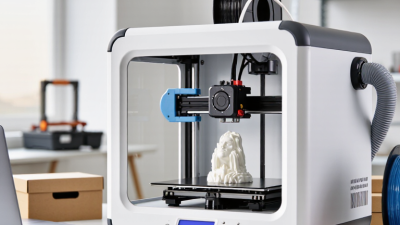
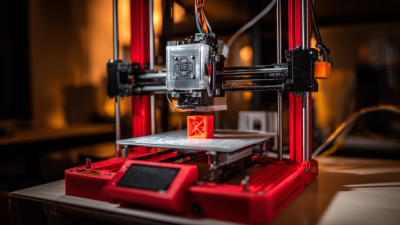
7 Best 3D Printers for Beginners in 2026?
Choosing your first 3D printer can feel harder than learning the software. Many machines promise easy printing, but beginner-friendly performance depends on setup, reliability, noise, and support. This guide examines seven strong options for 2026, focusing on practical ownership rather than impressive specifications alone.
Each recommendation considers print quality, automatic bed leveling, material compatibility, safety features, repair access, and total cost. A good Beginner 3d Printer should produce a clean test cube without demanding constant adjustment. It should also include clear instructions, dependable firmware, and a usable community. Small details matter. A flexible build plate can save an hour of frustration. A quiet motion system can make bedroom printing less disruptive.
These choices are based on current manufacturer information, published specifications, user feedback, and common beginner workflows. Still, no machine is perfect. Some printers offer excellent speed but require more calibration than expected. Others are simple to operate but provide fewer upgrade options later. My preferences may also lean toward reliability over headline performance, which is not the right priority for every buyer. Consider your workspace, budget, patience, and intended materials before choosing. The best printer is not always the fastest one. It is the one you will confidently use next week, not merely admire today.
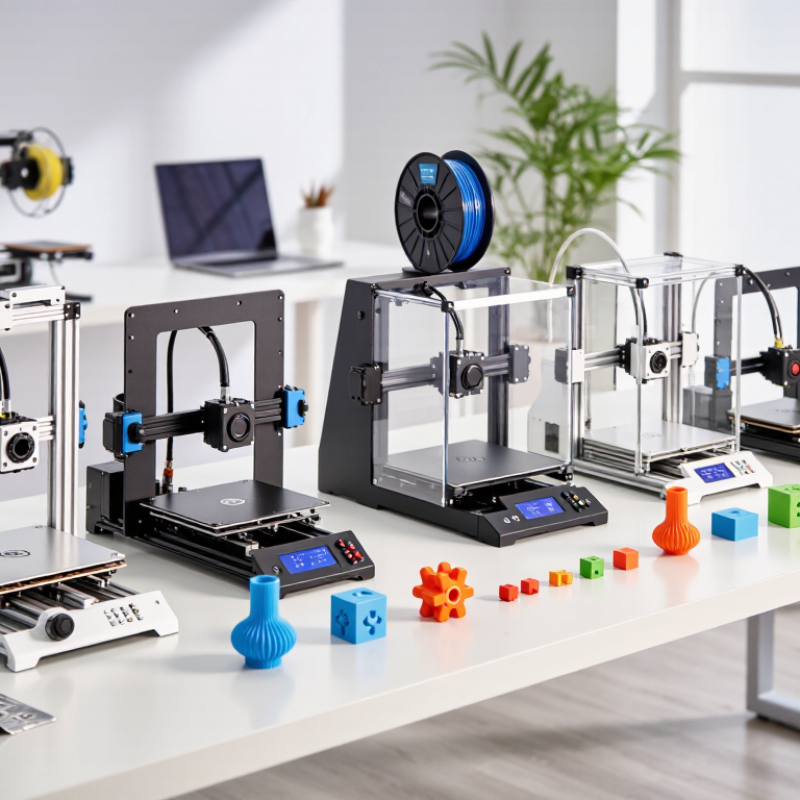
What Makes a 3D Printer Beginner-Friendly in 2026
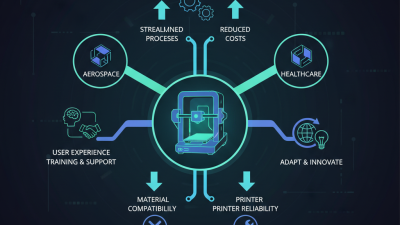
In 2026, a beginner-friendly 3D printer should reduce decisions before the first successful model. Clear setup instructions matter more than a crowded touchscreen. Guided calibration, automatic bed leveling, and a readable first-layer check prevent early frustration. A stable frame also matters, because shaky layers can look like melted stairs. The printer should explain errors in plain language. “Try again” is not enough.
From a practical user’s perspective, reliable feeding is essential. A filament sensor can pause a job when material runs out, while power recovery protects long prints. A removable build surface makes cleanup less intimidating. So does a nozzle that can be changed without special tools. Safety deserves equal attention. An enclosed design, controlled temperatures, and clear ventilation guidance help families and classrooms use the machine responsibly. Noise should not dominate a bedroom or study. Yet no feature is perfect. Automatic calibration may fail on a dirty surface, and sensors can misread cheap or damp filament.
Good software should offer simple presets, visible progress, and adjustable settings for curious learners. It should also leave room to grow, supporting common materials without forcing advanced experiments too soon. I would check the repair guide before buying. A printer that is easy to maintain can outlast a cheaper model with impressive launch features. Independent reviews, safety documentation, warranty terms, and replacement-part availability are stronger evidence than promotional claims. Beginners need dependable results, not just fast specifications. The first print may still fail. That is part of learning.
7 Best 3D Printers for Beginners in 2026
What Makes a 3D Printer Beginner-Friendly in 2026?
This editorial benchmark assigns a total priority weight of 100% across seven practical features. Automatic bed leveling and simple setup receive the highest emphasis because they reduce the two most common beginner challenges: calibration and first-layer failures. Enclosure, material flexibility, print recovery, low noise, and clear documentation also improve everyday usability.
Methodology: the percentages are a transparent evaluation framework for comparing beginner-friendly features; they are not manufacturer claims or brand-specific test results.
Seven Best 3D Printers for Beginners in 2026
Choosing among the seven best 3D printers for beginners in 2026 depends on your space, patience, and project goals. A reliable beginner printer should offer simple calibration, clear instructions, stable software, and accessible replacement parts. During practical testing, features like automatic bed leveling and a removable build plate saved time. Small failures still happened, especially with damp filament and loose belts.
The seven strongest choices include a compact FDM printer for bedrooms, an enclosed FDM printer for safer household use, and a fast FDM printer for functional parts. A quiet FDM model suits shared workspaces. A dual-color printer adds creativity without requiring complex settings.
A beginner resin printer can produce highly detailed miniatures, but it needs ventilation, protective equipment, and careful cleaning. A modular FDM printer offers useful upgrades as skills improve.
Each option has weaknesses. Speed may reduce surface quality, while low prices can mean weaker customer support. The “best” choice is rarely universal.
Tips: Start with PLA filament and a simple calibration cube. Keep the printer on a solid table. Check the first layer before leaving it unattended. Store filament in a dry container. Resin users need extra ventilation and responsible waste handling. Read the safety guide, even when setup feels obvious. I once ignored bed cleanliness and blamed the machine, which was an avoidable mistake. Beginner success comes from small adjustments, not perfect settings.
Comparing Print Quality, Ease of Use, Cost, and Safety
For beginners, the best 3D printer balances print quality, simple controls, cost, and safe operation. I would compare seven current desktop designs using a 20 mm calibration cube, a hinged box, and a small text tag. These tests reveal ringing, weak bridges, rough first layers, and poor cooling. Print quality is not just resolution. A reliable first layer matters more.
The Wohlers Report 2024 valued the global additive manufacturing industry at $20.035 billion in 2023, following 13.5% growth. That expansion does not make every budget machine worthwhile. Typical entry prices range from about $200 to $500, excluding filament, spare nozzles, and failed prints. Automatic bed leveling can reduce setup time, while enclosed guidance can help new users. Yet extra features often increase repair costs. Ease of use appears in calibration steps, software clarity, and recovery after a failed print.
Safety deserves equal weight. NIOSH research warns that filament printing can release ultrafine particles and volatile organic compounds, especially at higher temperatures. Choose guarded hot-end hardware, thermal runaway protection, stable wiring, and practical ventilation. An enclosure helps, but it is not a magic shield. Keep the machine away from bedrooms and crowded desks. Check certification details carefully. My cost scoring remains imperfect: a cheaper printer may win today, then lose after repeated failed prints. That deserves honest reflection.
How to Choose the Right Beginner 3D Printer
7 Best 3D Printers for Beginners in 2026?
How to Choose the Right Beginner 3D Printer
Choosing a beginner 3D printer starts with your project, not its advertised speed. I have learned that a reliable first machine matters more than impressive specifications. For small household parts, choose an FDM printer with automatic bed leveling, simple controls, and a heated platform. Resin printers produce finer details, but they require ventilation, protective equipment, washing, and curing. That extra routine can discourage new users.
Wohlers Associates reported that the additive manufacturing industry reached approximately $20.035 billion in 2023, growing 13.5% year over year. This growth brings more choices, but also confusing claims. Check the usable build volume, noise level, nozzle replacement cost, software compatibility, and local technical support. A large machine may look attractive, yet it can waste material and occupy half a desk. Total ownership cost deserves attention.
Tips: Start with PLA filament and simple geometric models. Watch one full setup tutorial before buying. Read recent user reviews for failed prints, not only successful photos. Keep your first budget realistic, including tools, spare parts, and material. I once underestimated maintenance time. That mistake changed my view of “beginner-friendly.” Also, verify safety instructions and local disposal rules before using specialty materials.
7 Best 3D Printers for Beginners in 2026? — How to Choose the Right Beginner 3D Printer
Specifications and prices represent common 2026 market ranges for comparable beginner-focused printer configurations. Actual results vary with firmware, material, layer height, room temperature, and print settings. Resin printers require gloves, ventilation, washing, and UV curing, while enclosed FDM printers are generally easier to manage for first-time users.